Infortrend Data Recovery
Data is the lifeblood of modern business, and Infortrend NAS units are often deployed
as the primary vault for that critical asset, offering unparalleled scalability and throughput.
Yet, the sudden 'beep' of an error code or a failed boot sequence can trigger a crisis of data loss.
Recovering data from an Infortrend NAS is not a standard file-undelete operation;
it involves navigating complex RAID stripes, often involving XFS or ZFS file systems,
and handling the proprietary disk management protocols. In this guide,
we will dissect the recovery process, highlighting what administrators should do immediately
following a failure to minimize downtime and maximize the chances of a full recovery.
Infortrend storage systems employ a sophisticated, multi-layered architecture to ensure data integrity,
high performance, and availability. While Infortrend does not publish a single
detailed document outlining the entire stack, its solutions incorporate several
well-established enterprise technologies.
The storage process in an Infortrend system can be understood through these key layers:
-
Hardware Foundation (RAID): The base layer combines physical drives into a single,
fault-tolerant storage pool. Infortrend systems use hardware RAID controllers to manage this,
supporting standard levels like RAID 0, 1, 5, 6, 10, and even Linear RAID for combining drives
of different sizes.
-
Volume Management: On top of the RAID pool, Infortrend utilizes
the Volume Manager to provide a flexible abstraction layer.
Volume Manager carves the physical RAID storage into logical volumes that can be easily resized,
moved, or managed without being constrained by physical disk boundaries.
A key feature of this layer is thin-provisioning, which allows the system to allocate storage
capacity to volumes on-demand rather than reserving it upfront. Instead of committing the
full declared size of a volume at creation, thin-provisioning presents a
virtual capacity to the operating system while consuming physical storage only as data is actually written.
This over-subscription model maximizes storage utilization, reduces wasted space, and enables
flexible capacity management across multiple volumes—though it requires careful monitoring
to avoid running out of physical storage when thin pools become over-committed.
Combined with Volume Manager's native flexibility, thin-provisioning makes
Infortrend storage highly adaptable for dynamic enterprise environments where efficient
space allocation is critical.
-
File System Layer: This top layer organizes data into the files and folders
users interact with.
How to recover files from Infortrend using ReclaiMe Pro software
- Pull the disks out of the Infortrend and connect them to the computer running Windows.
It is recommended to use SATA ports on the motherboard, although USB is acceptable as well.
- Download and launch ReclaiMe Pro software.
- Mark Hardware RAID and click Proceed.
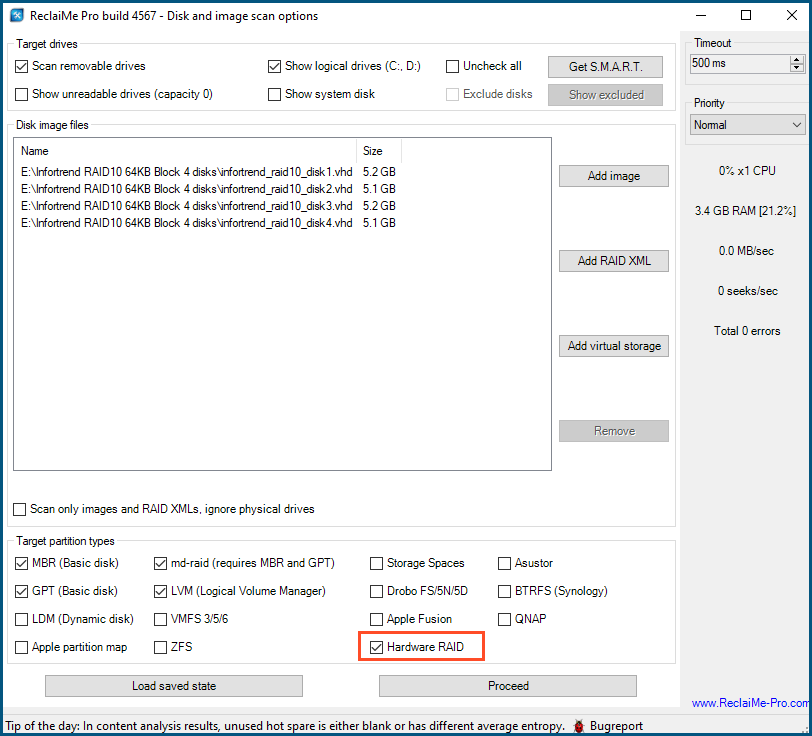
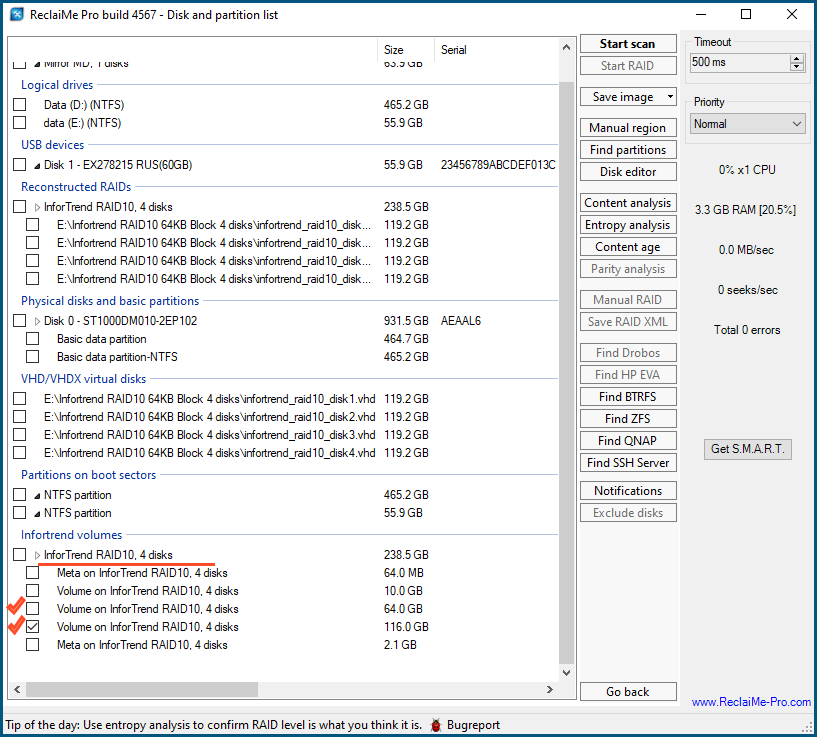
- Under InforTrend volumes select the largest volume and click Start scan.
Then you need to scan all large volumes in which typically user files are stored.
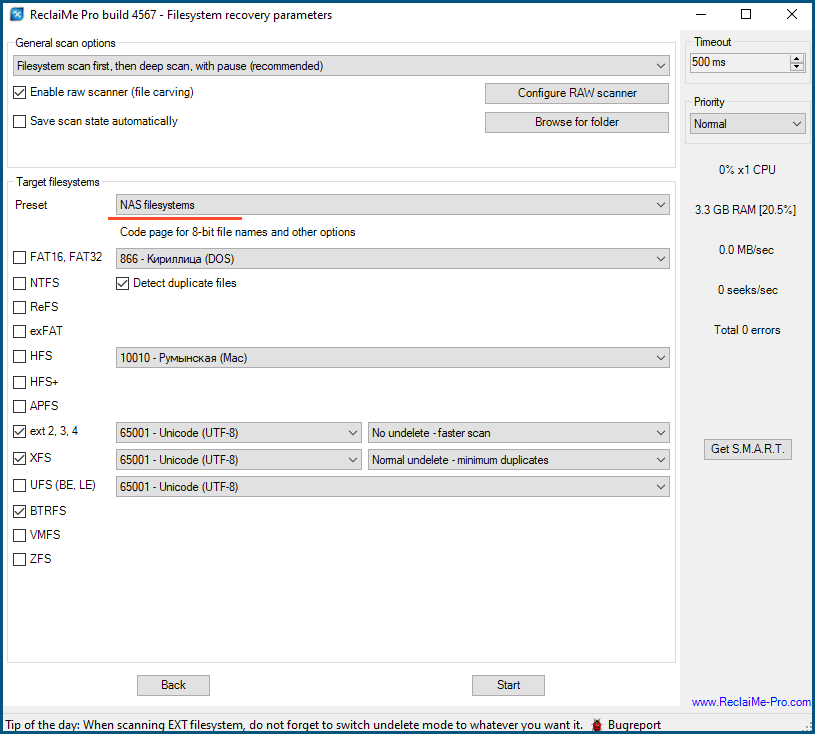
- Wait till ReclaiMe Pro starts brining data and check the quality of the recovery
using the Preview function.
If you do not see the appropriate InforTrend volumes in ReclaiMe Pro or the quality of recovery is poor,
try to recover RAID parameters first using Start RAID button.
Also, you can contact our support team at Assistance page to get qualified help or wise advice.